How to Get a Fabulous Squarespace Website Design on a Tight Budget

When you're ready to move your business online, a Squarespace website is the perfect way to do it. They are simple to use and come with a wide range of features that will help you get the most out of your website. Plus, they are elegant and modern, with many options for creating the site of your dreams.
But what happens if you realize that a custom website design is out of your budget? Are you doomed to settle for less? Nope! The good news is that you still have options for creating your website; it's just a matter of finding the perfect choice for your situation.
Speaking of options, what are they? Let's look at the most common alternatives to a custom Squarespace website build.
Option #1
Do-It-Yourself (DIY) Websites: This is the most common alternative to a custom website build and the cheapest. Squarespace is one of the simpler platforms to accomplish this because no coding is necessary. The drag and drop interface makes it accessible for most people. The benefit of this option is that you can't beat the price! Plus, you have complete control over the design and content of your website.
However, the downside is that it can be very time-consuming and overwhelming, especially if you are not familiar with web design. You risk missing key components that could attract clients or help you grow your business.
Option #2
Premade Squarespace Templates: This is an excellent option if you want something simpler than creating a DIY website but you don't want to spend the money on a custom design. These templates are pre-designed, often with color schemes and layout pre-selected. Just add your content.
The benefit of this option is that it's fast and easy. The downside is that the changes you can make are limited, and you have to choose most before purchasing. You may also have to make some sacrifices in terms of functionality. Because they are only minimally customizable, other websites may have almost identical appearances.
So what's a business owner to do?
None of those options are ideal, but you may feel that you don't have any other options when budgets are tight. That's why I created my Complete Squarespace Templates. I believe everyone should have access to a gorgeous, functional website on any budget. My templates are a cost-effective option for creating or updating your website.
What sets my templates apart from the others? First, they are fully optimized for Squarespace. In other words, I've designed them to take advantage of Squarespace's features and functionality. They are also mobile-responsive, which is essential in today's market.
Another thing that sets my templates apart is that they come with complete instructions and support. I want you to use my templates successfully, and I'm here to help you every step of the way.
Finally, I design my templates for service-based, women-owned businesses just like yours. I have a variety of modern, easy-to-navigate templates optimized for specific industries. You only have to find the layout that fits your needs and jump in.
Here's what you'll get:
1 Squarespace design template of your choice. I will deliver this to your inbox within 48 hours. This template includes:
Home Page
2 Service Offering Pages
About Me Page
Contact Page
Blog Page with Plug & Go Template
FAQ's Page
Custom-Loaded Fonts and CSS Code
Favicon Graphics Template
Access to Canva templates for graphics, backgrounds, and fonts to easily customize with your branding colors
Full tutorial course on how to:
Update the site with your graphics
Integrate Squarespace features
Connect your existing domain or purchase a new domain
And everything else you need to know for a successful setup!
Ongoing Email Support
*BONUS ITEMS*
The Website Project Planner that I use on every site.
Instagram links page (NO 3rd party app required!)
Introduction to Squarespace's Consultation Booking System for Scheduling
Guide for How to Use Squarespace Email Campaigns
I am a certified Squarespace Expert, so you can be confident that your template will be professionally designed, fully optimized, and perfectly functional. Oh, and did I mention beautiful? I love to create designs that exceed expectations, and my templates are no exception.
To get started, visit my templates page. The first step is choosing the right fit. You can view live demos of each style, so you'll be confident when you're ready to purchase. After purchasing, I will send your template within 48 hours. Once it arrives, open it up and follow along with the tutorial. Your site will be ready to go in no time.
Being on a budget doesn't mean settling! You're worth more than that. So, set aside your DIY project and use one of my templates to create the website of your dreams. I'm happy to answer any questions and walk you through selecting the perfect option for your business.

Squarespace has a lot to explore, and we only scratched the surface! If you are ready to build your site but don't know where to start, head over to my Contact Page and send me a message. I'm happy to answer your questions and help you figure out the best option for your business.
If you want to learn more about my offerings, take a look around my website: https://alexedwards-design.com/.
You can view my templates here: https://alexedwards-design.com/template-shop.
Or view my portfolio of custom builds here: https://alexedwards-design.com/portfolio.
You can also jump into your website build with my FREE Website Project Planner: https://alexedwards-design.com/website-project-planner.
The Website Planner is the crucial tool I use on EVERY site I create. Use it to:
Get clear on your goals.
Identify your ideal client.
Stay organized and on track with your website build.
♡ Alex E.
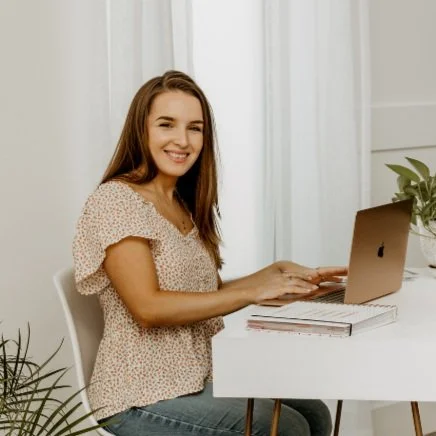
HI THERE!
I’m Alex, your Squarespace Expert web designer
I’ve designed over 50 websites incorporating strategic design choices to create a seamless customer journey. I take pride in learning the ins and outs of my client’s businesses, empowering them to build a lasting impression with their audience and deliver on their goals.